Private Beta Registration Now Open -> Join the Beta

Home / Platform

Protect

Protect Hyper-V VMs, host configuration and VyperForge configuration together.

Protect provides reusable protection plans, storage destinations, verification, retention, monitoring and notification options designed around Hyper-V operations.

What problem does this solve?

Practical infrastructure work, made repeatable.

Backup scripts and manual exports are easy to start but difficult to operate consistently. Retention, verification, failure handling and recovery confidence often arrive later, if at all.

VyperForge treats protection as an operational workflow: define the policy, validate the destination, monitor transfer progress, verify the result and keep enough history to understand what happened.

Typical workflow

How the workflow usually runs.

Create protection planSelect capture methodChoose destinationConfigure retentionValidateProtect VMMonitor progressRecover when required

Capabilities

What Protect covers.

Protection plans

Define reusable policy-based protection instead of one-off exports.

  • Manual
  • Hourly
  • Daily
  • Weekly
  • Monthly

Storage

Use destinations that fit the environment.

  • Local storage
  • UNC paths
  • SMB shares
  • Local staging
  • Dedicated backup locations

Retention

Keep useful backups without letting destinations grow forever.

  • Backup count
  • Age-based retention
  • Automatic cleanup

Verification

Treat a backup as incomplete until it can be trusted.

  • Backup validation
  • SHA-256 integrity checks
  • Archive validation

Compression and encryption

Balance storage efficiency and protection requirements.

  • Compression
  • Encrypted backups
  • Password-protected archives

Transfer monitoring

Expose useful operational status while protection is running.

  • Progress
  • Throughput
  • ETA
  • Remaining data

Configuration protection

Protect more than the VM files.

  • Host configuration
  • VyperForge plans
  • Images
  • Applications
  • Settings

Notifications and cleanup

Keep operators informed and tidy up after failed work.

  • Teams success
  • Failure warnings
  • Completion notifications
  • Temporary file cleanup
  • Failed export cleanup

Key decisions

What to decide before you run it.

Protection scope

Decide whether the priority is VM backup, host configuration capture, VyperForge settings protection or all three.

Frequency

Use schedules that reflect how often the environment changes rather than relying on occasional manual exports.

Recoverability

Capture enough metadata to understand what can be restored, where it came from and whether it still matches the target host.

Operational notes

How this fits real work.

Protect is about making recovery intentional before something breaks.

It is especially useful for lab and test environments where machines are rebuilt often but still contain valuable configuration work.

Product screens

See the workflow in VyperForge.

Product screens from the current beta build show how this capability appears in the desktop app.
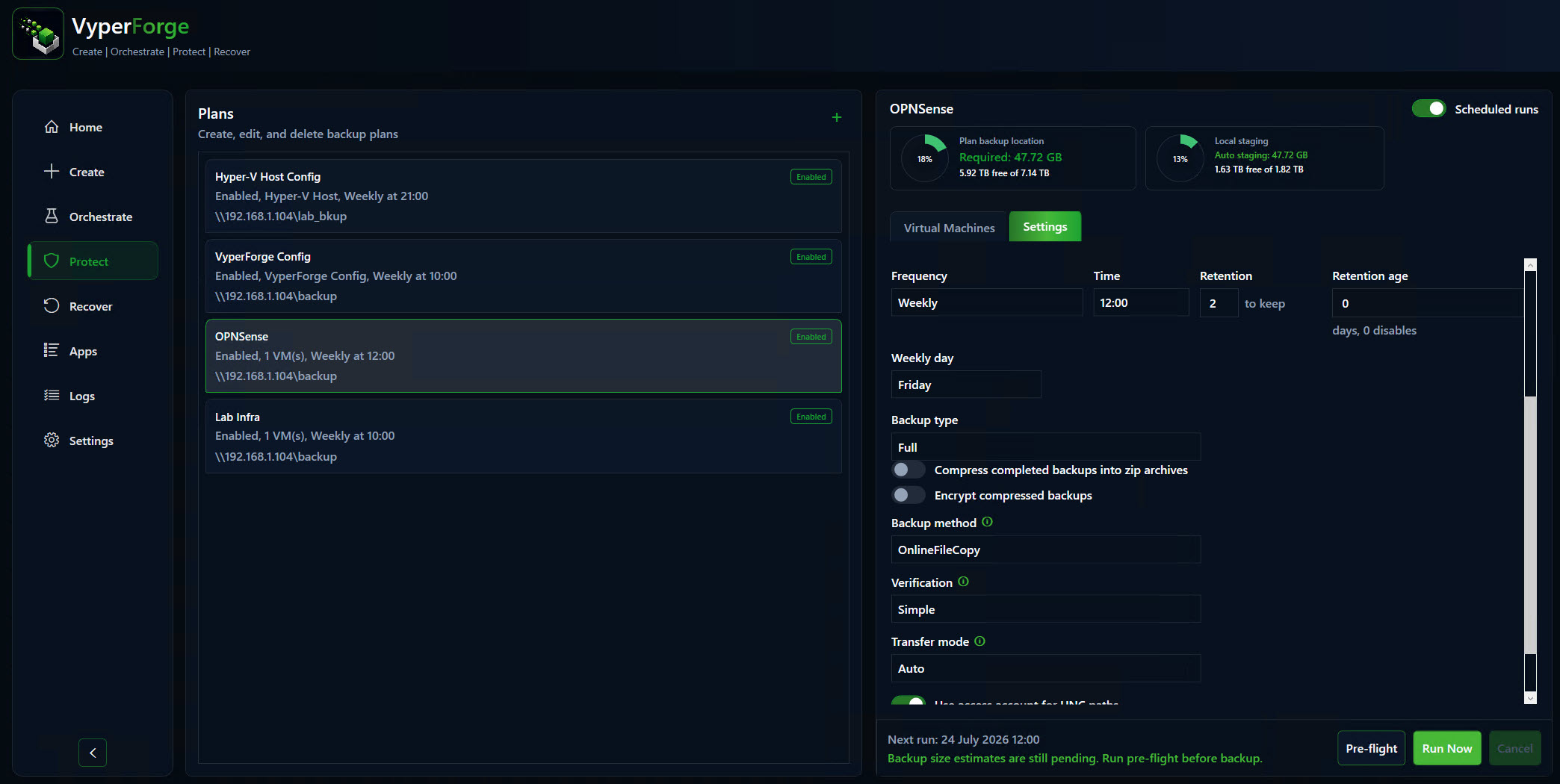
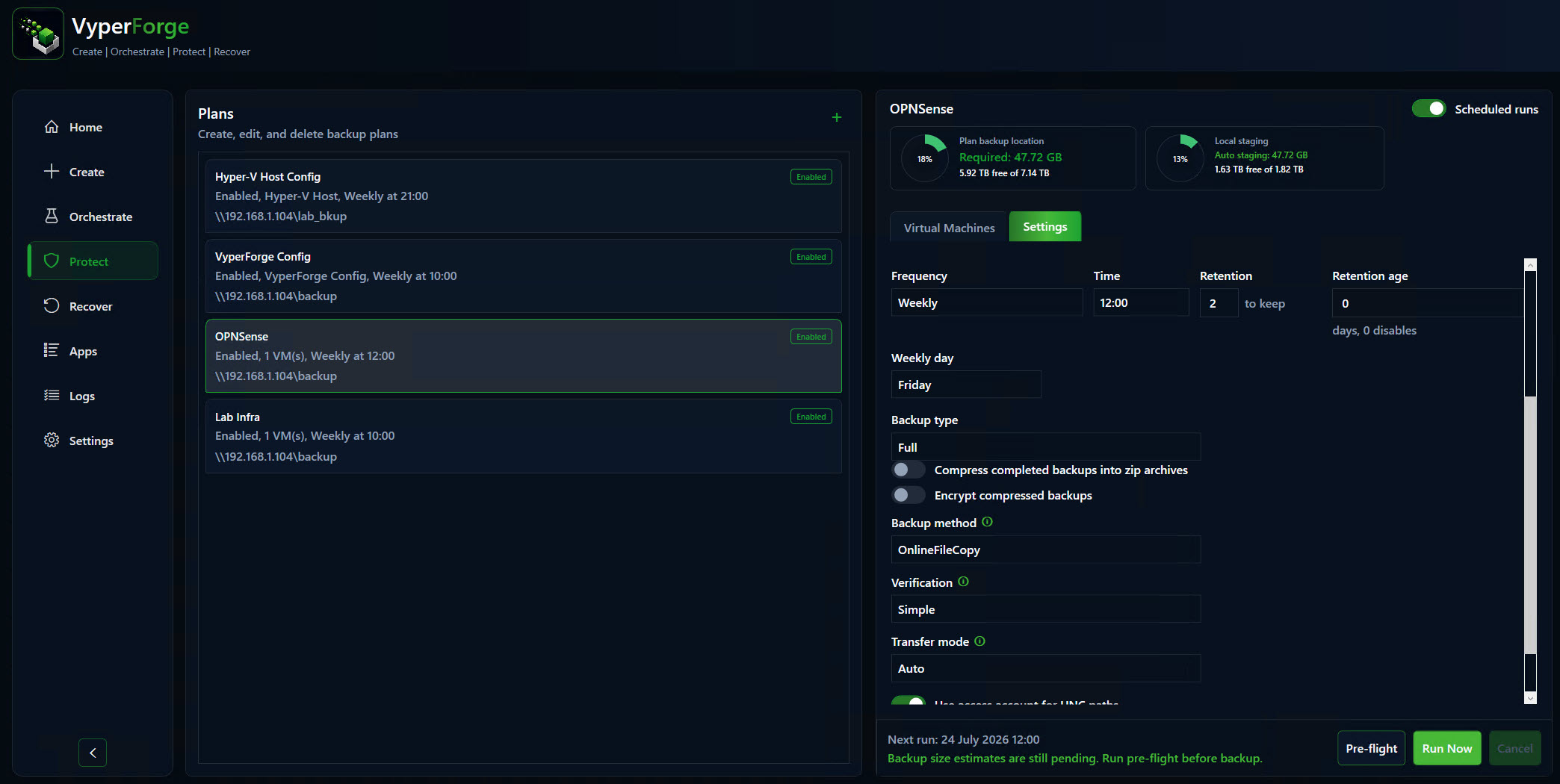
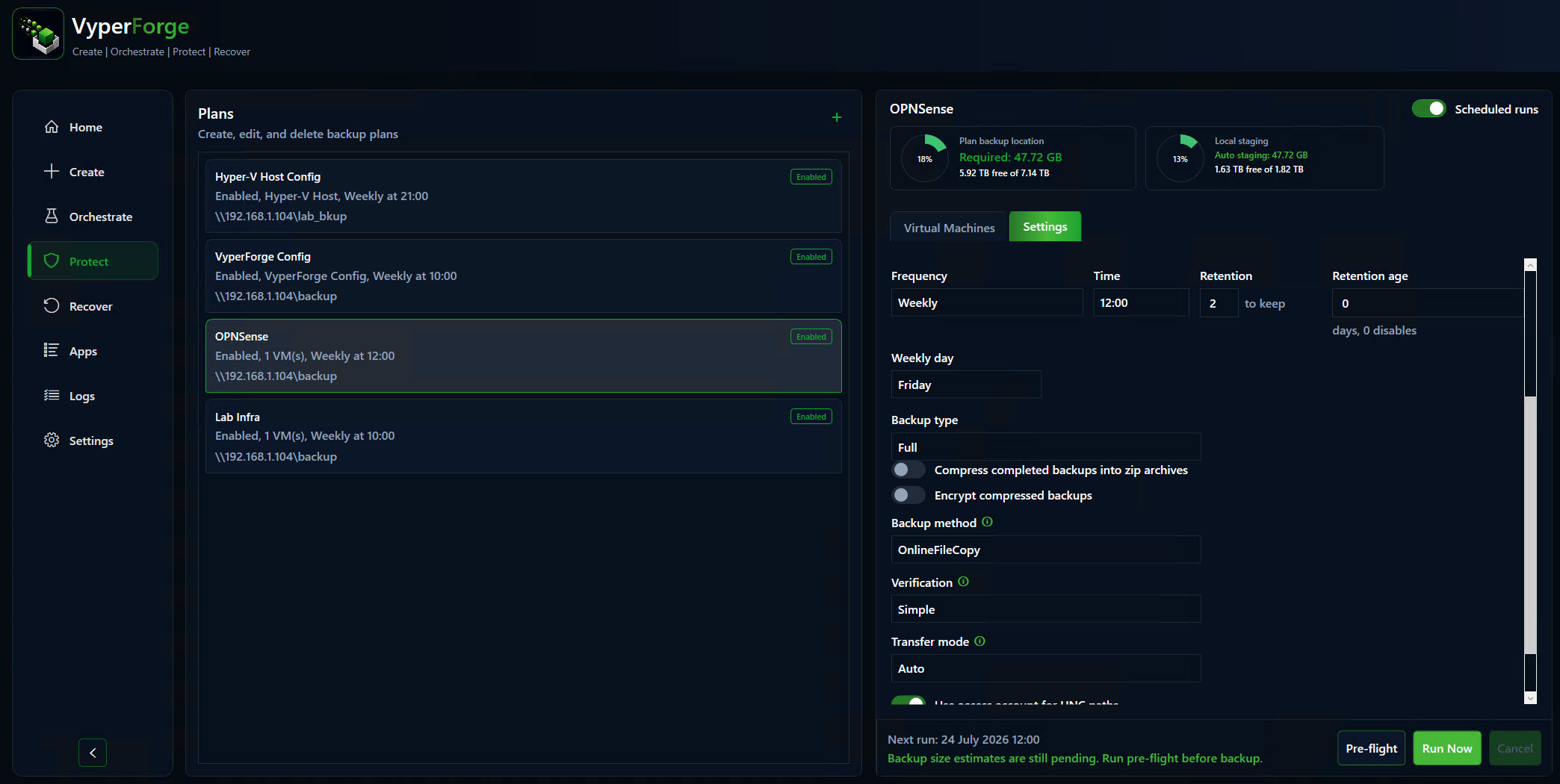
VyperForge screenshot: Protection plan editor. Selected VMs, schedule, retention and verification.
Protection plan editorSelected VMs, schedule, retention and verification.
VyperForge screenshot: Active backup progress. Transfer progress, speed, destination and current stage.
Active backup progressTransfer progress, speed, destination and current stage.
VyperForge screenshot: Host configuration protection. Virtual switches, adapters and host settings.
Host configuration protectionVirtual switches, adapters and host settings.
VyperForge screenshot: VyperForge configuration protection. Plans, images, applications, settings and credential export.
VyperForge configuration protectionPlans, images, applications, settings and credential export.

Why VyperForge?

Practical advantages over native tools and loose scripts.

  • Protection plans are reusable and visible.
  • Validation and SHA-256 checks are part of the workflow.
  • Local, UNC and SMB storage are handled in one model.
  • Host and VyperForge configuration can be protected alongside VMs.
  • Operators can see progress, throughput, ETA and history.

Example scenario

A practical way to use it.

Before a risky change window, an admin can capture VM state and host configuration so the environment can be put back quickly if the test fails.

Real-world examples

Where this helps.

  • Protect a production Hyper-V host before maintenance.
  • Schedule nightly protection for lab infrastructure.
  • Keep verified recovery points for a training environment.
  • Export VyperForge configuration before rebuilding the management workstation.

Related platform areas